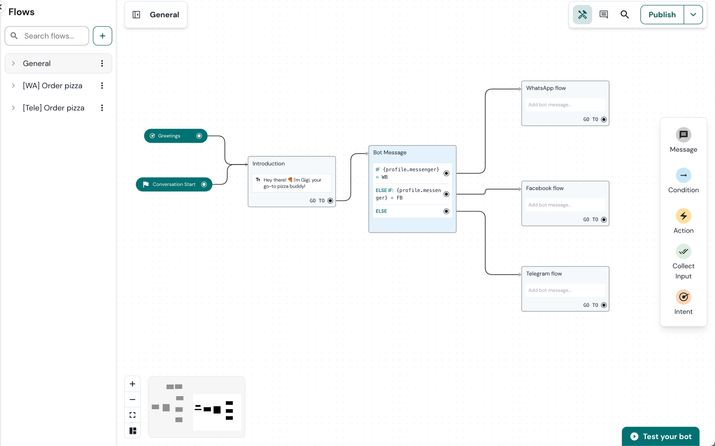
Each channel where your bot will live has its own limitations. If you want your users to follow a different flow based on the channel they're on, you will need a channel router flow by using Conditions.
To make a channel router flow:
- Add a Condition to the point in your flow where you wish to diverge, based on the channel.
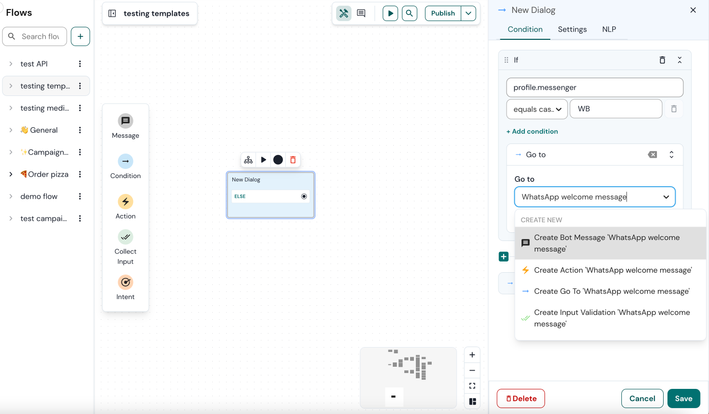
- Within this Condition, guide the user based on profile.messenger the variable, which contains the channel variable. In the image below you can see which value of 'profile.messenger' corresponds to each channel.
| Channel name | Values |
| Facebook | FB |
| WhatsApp Business | WB |
| Webchat | LC |
| Telegram | TG |
3. Click the + icon to add an IF statement. If you're using WhatsApp for instance, generate a new variable named 'profile.messenger', then select 'equal case' for the value type 'WB' which stands for WhatsApp Business. In the Go to section, you can create a block by typing 'WhatsApp welcome message’.
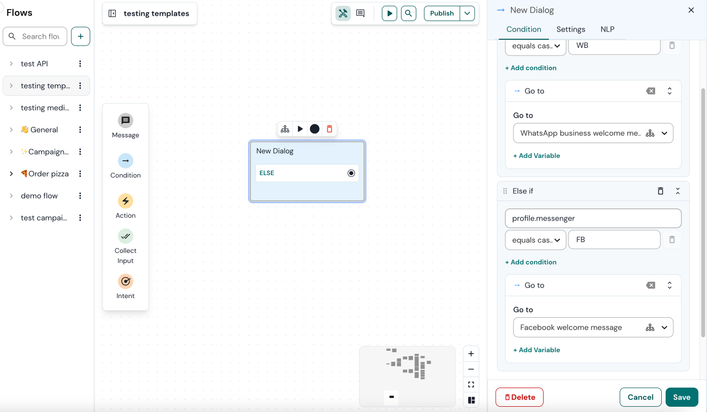
4. Follow the same steps again to create an ELSE IF statement, this time for Facebook. Choose the previously created 'profile.messenger' variable, select 'equal case', and enter 'FB' as the value. In the Go to section, you can initiate a new block named 'Facebook welcome message'.
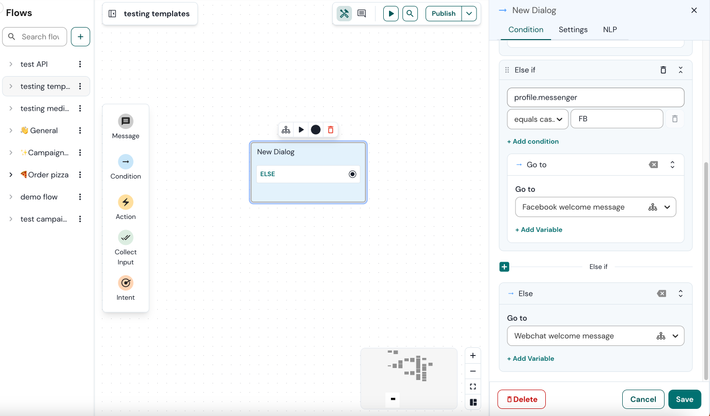
5. For the final channel, Telegram, simply create a block titled 'Telegram welcome message' under Else.
6. Click Save to save your changes.
See also:
Create a channel confirguration
Channel limitations
[New bot builder] How to organize your flow
