Sinch provides SMS functionality through the SMS channels that are configured on Conversation API apps. You may create new Conversation API apps and assign an SMS channel to those apps.
To assign an SMS channel to a Conversation API app:
- Navigate to the Sinch Build Dashboard.
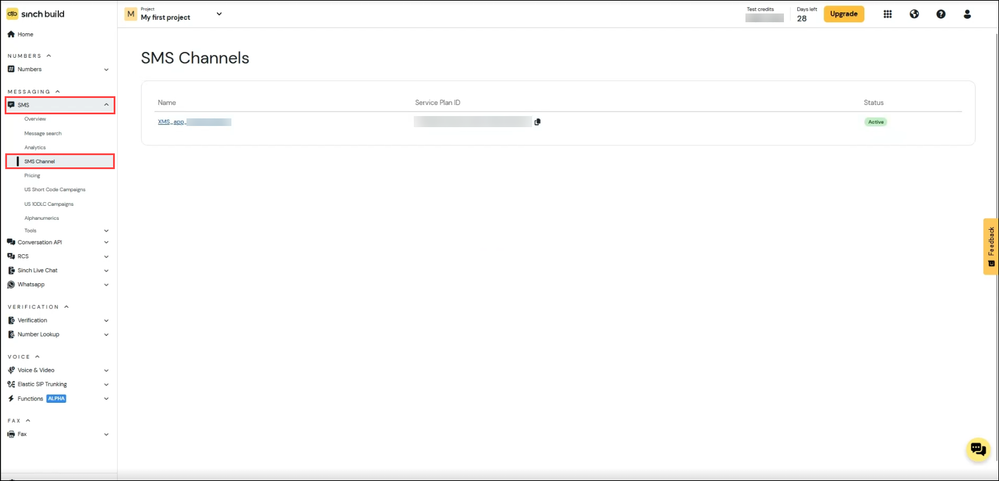
- Select the SMS tab and click SMS Channel.
- Click the SMS channel you'd like to add to a Conversation API app.
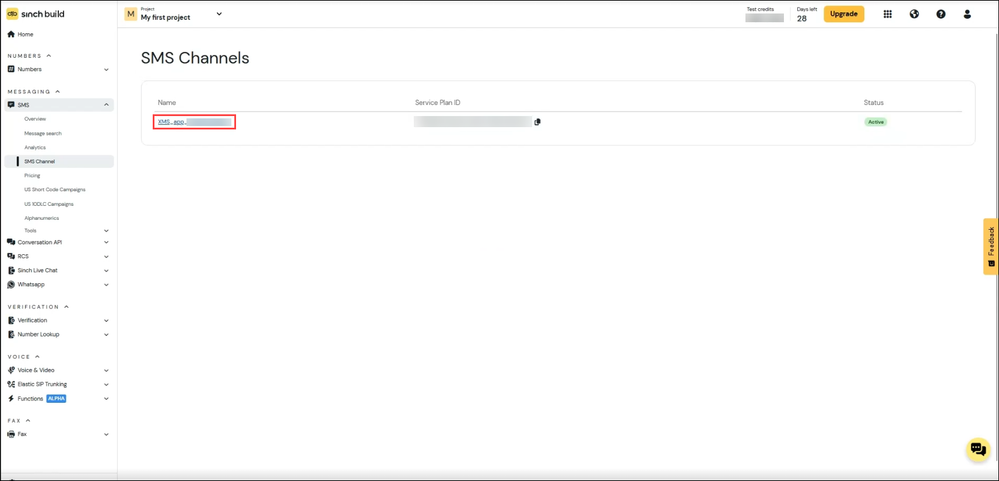
The SMS channel's configuration details are displayed.
- Click the Integration tab and click Connect to Conversation API app.
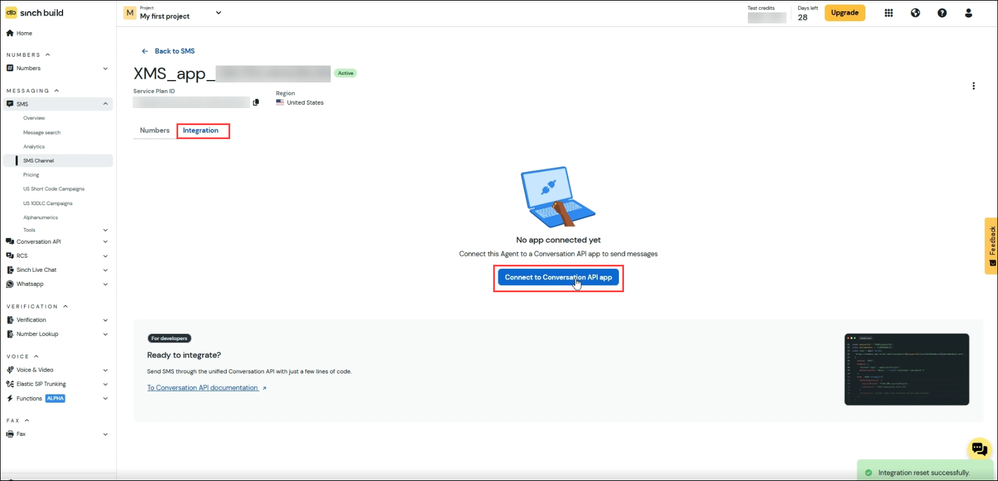
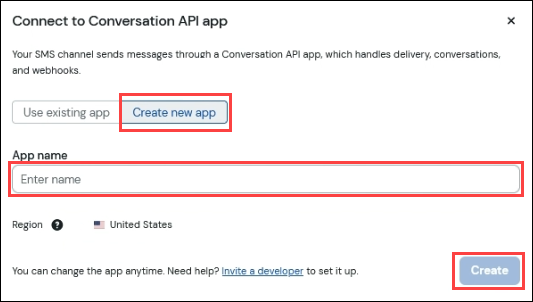
- You may either assign the SMS channel to an existing Conversation API app or create a new Conversation API app (and assign this SMS channel to that app):
- To select an existing Conversation API app, remain on the Use existing app tab and select the Conversation API app to which you'd like to assign this SMS channel. Click Connect:
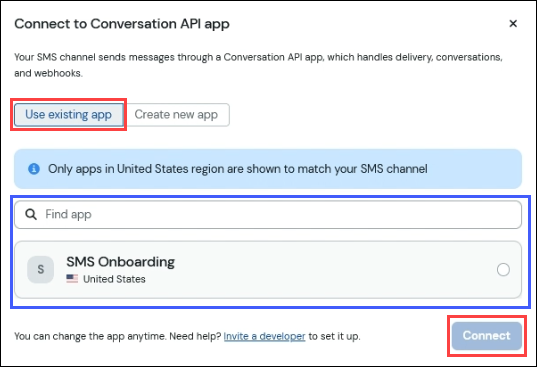
- To create a new Conversation API app (and assign this SMS channel to that app), select the Create new app tab and complete the app creation form:
- The status of the connection is displayed next to the name of the SMS channel. Ensure that the status is Active prior to sending any traffic using the corresponding Conversation API app.