Turn on suggestions
Auto-suggest helps you quickly narrow down your search results by suggesting possible matches as you type.
- Sinch Community
- More topics
- Engage Classic
- Campaigns
- URL settings
Options
- Subscribe to RSS Feed
- Mark as New
- Mark as Read
- Bookmark
- Subscribe
- Printer Friendly Page
- Report Inappropriate Content
In this article, you will learn how to configure some settings for the URLs you add in your campaign message content.
URL settings
To configure the URL settings for your project:
- Go to Settings > Project > Project details
- In the URL settings panel you can enable the following options:
- URL shortener: Sinch Engage will shorten the URLs (links) that are part of your message content, creating a new URL starting with : https://sinch.link/
- Tracking-GET-parameters (UTM): it's optional. UTM parameters are short text codes that you add to URLs to help you track the campaign performance. If the user clicks on the link, he will be redirect to the URL with the UTM parameter in the website address, so you will be able to track his action in the website.
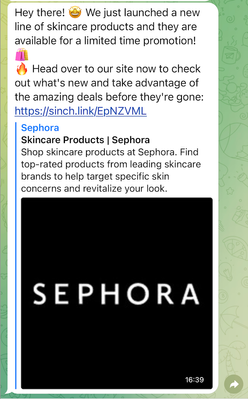
- Link preview: enable it if you would like to show the preview of the URL (link) in the message content the users will receive in their cellphones. Today this configuration works only for campaigns sent on Telegram channel.
- URL shortener: Sinch Engage will shorten the URLs (links) that are part of your message content, creating a new URL starting with : https://sinch.link/
Why use URL shortener?
- Depending on the length of the link URL you want to send, the message can become very long. Shortening the URL is a way to make the content more concise and attractive to the users.
- By shortening the URL, it is possible to track how many users clicked on the link and thus be able to understand the effectiveness of your campaign. Using the Sinch Engage URL shortener this data will already be calculated and displayed to you in the campaign list and also in the campaign details page.
Which URLs will be shorten?
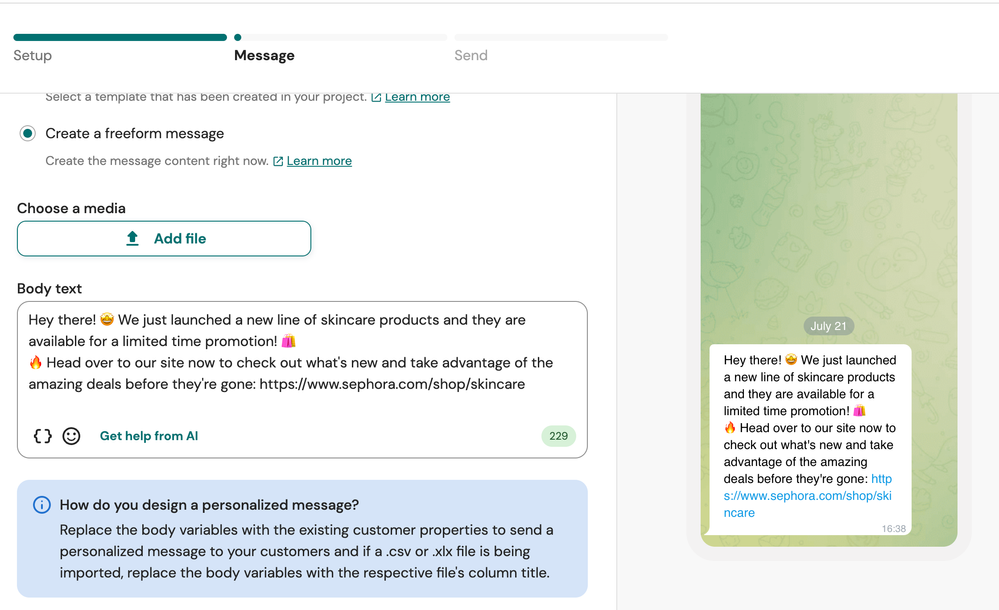
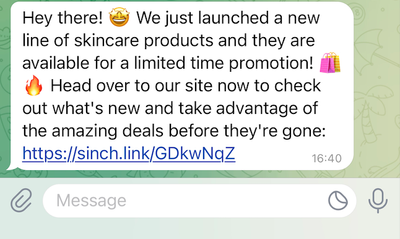
If your campaign is being composed with a freeform message, all the URLs you include in the body text will be shorten:
Check how this message looks like in the cellphone:
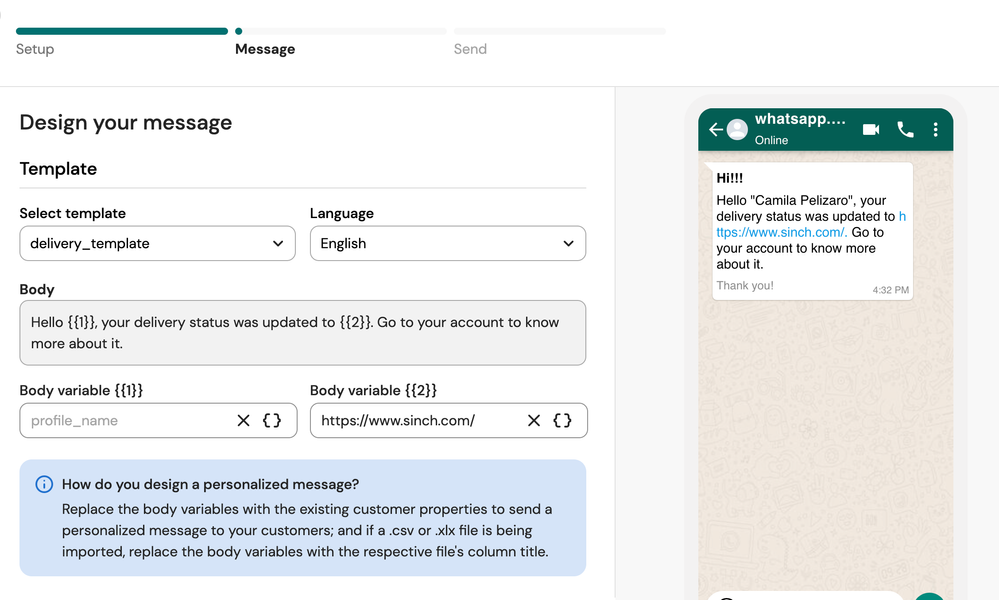
If your campaign is being composed with a WhatsApp template message, the URLs configured in the message body variables will be shorten:
Important: It is not possible to shorten URLs that are part of the body of the message or part of the actions buttons, since these contents have already been previously approved by Meta and cannot be modified. If you want to track clicks on the URL present in a action button of the template, you need to shorten the link and set it in the template button before submitting it for approval. In this case, you should use a shortener other than the Sinch Engage one.
Check how this message looks like in the cellphone: 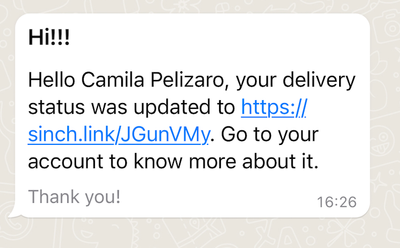
How the URLs preview looks like?
The URL preview works regardless of whether the URL shortener setting is active or not as they are independent features. Today this configuration works only for campaigns sent on Telegram channel.
Check how the message looks like in the cellphone with URL preview enabled:

Options
- Mark as New
- Bookmark
- Subscribe
- Mute
- Subscribe to RSS Feed
- Permalink
- Report Inappropriate Content