Note: Before you can view your domain details you will need to enroll with SAML.
Once enrolled with SAML, when you next login using your Sinch ID you will see a new item on your left navigation menu, titled SSO Configuration. Click the Domains option. The Domains page is displayed:
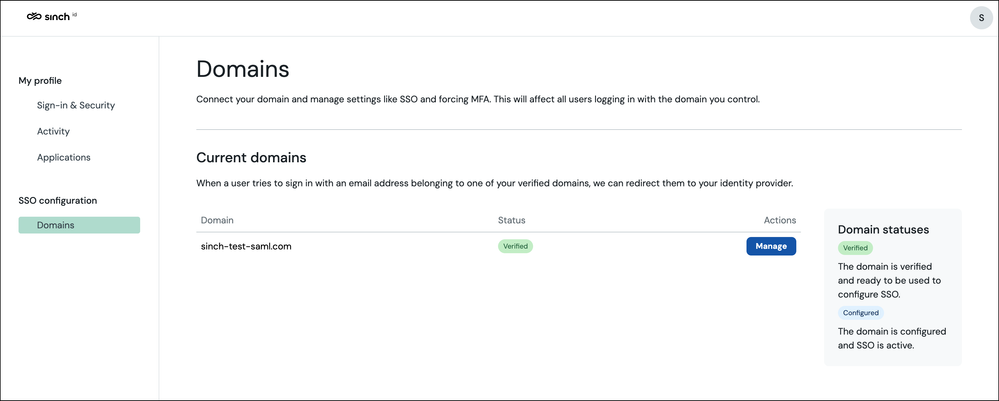
This page contains a domain entry that will match your email address' domain. To request a different domain, or multiple domains, contact Sinch support.
Note: Adding or removing domains using the UI is currently unsupported.
The Domain Statuses panel on the left, is comprised of two states:
- Verified - means you have reached out to support, your domain has been added and is ready for SSO configuration.
- Configured - means you have provided the necessary information in order to activate SSO, and your users will be able to sign in using your chosen identity provider.
To show the details for a domain and to configure SAML, click the Manage button corresponding to that domain.
Next Steps
