Before connecting Viber bot, you must:
Only admins have the permissions to connect channels in Engage.
To connect Viber bot to Engage:
- Settings > Project > Channels.
- Go to the Available channels section.
- Click on Connect under the Viber bot section.
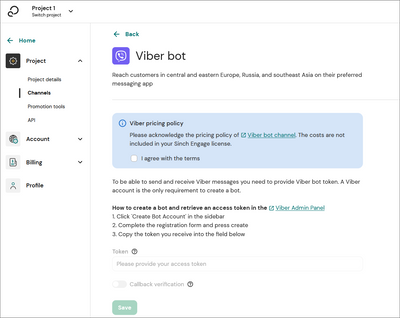
- Copy the Viber bot's token:
- Log into the Viber admin panel
 on your desktop and go to the Edit info view.
 - Go to Info and copy the token from the Token field.
- Paste the Viber bot's token to the Viber bot channel in Engage.
- Acknowledge the pricing policy of Viber
 .
.
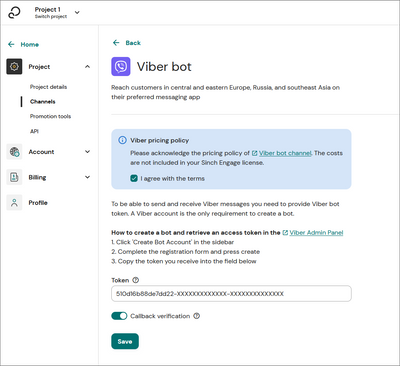
- Click Save to connect your channel. Your channel state turns to Pending.
After a maximum delay of 5 minutes your channel status changes to:- Active if the connection was successful.
- Failing if an error occurred. You can see a description of the error.
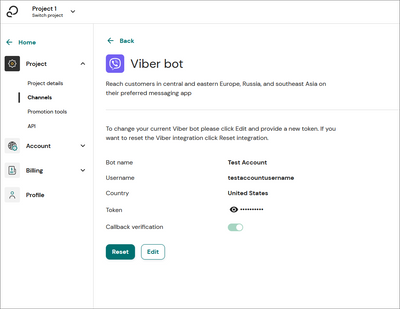
When connected, the Viber bot section shows the name of your page.
By default, your Viber bot can't be found in the Viber app by searching. This is an option for premium chatbots. You can subscribe to this feature by contacting Viber  directly.
To access your bot, use the Viber QR code feature which can be found in the Viber app under More and the QR code icon. You can find your channel's QR code in the Viber admin panel  under Tools > Info or you can generate one using the syntax: viber://pa/info?uri=<URI>
The URI is the username property shown in Engage under the Viber section.


