To change your user settings:
- Log in to the Sinch Build Dashboard and select the User Profile icon from the top menu (1). The Settings menu is displayed:
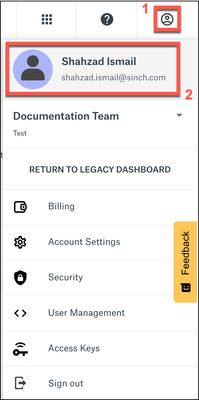
- Click your avatar icon or your user name (2). Your User Profile page is displayed:
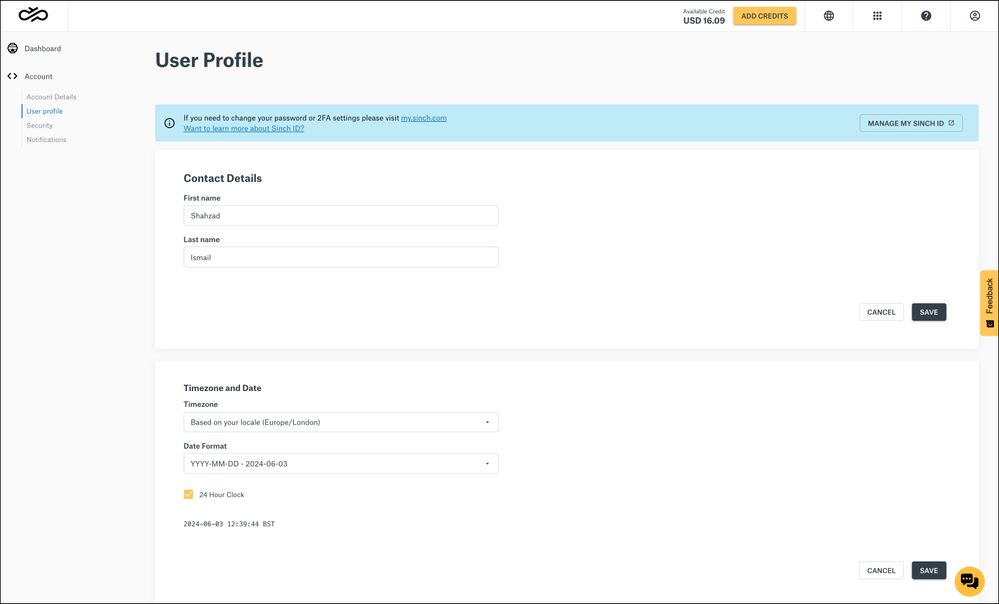
To update your contact details, enter your new contact details in the Contact Details section and click SAVE.
To update your timezone, enter your new timezone details in the Timezone and Date section and click SAVE.
To change your password or 2FA settings, click Manage my Sinch ID in the top blue banner.