You can remove any MFA method from your account at any time. The process is the same for all three methods (SMS, Authenticator app, Security key).
To remove an MFA method, follow the steps below:
- Sign in to Sinch ID and go to Sign-in & Security.
- Go to the Authentication Methods (MFA) section:
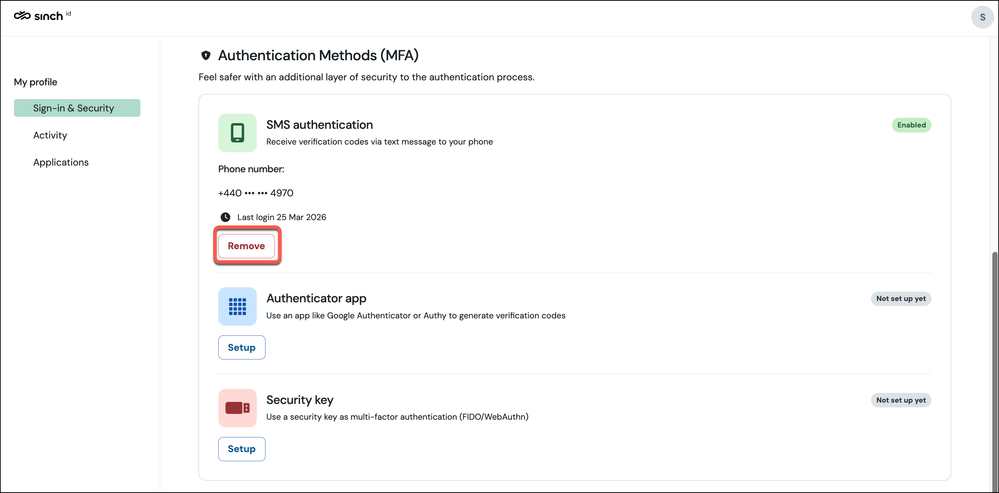
Find the method you want to remove and click Remove.
Sinch ID may ask you to verify your identity first. If you see an MFA request, complete it
(for example, enter an SMS code or use your security key).
- The method is removed.
Things to know
- Removing a method does not affect your other enrolled methods. For example, removing SMS does not change your authenticator app enrolment.
- If you remove your last MFA method, your recovery code is also removed. Re-enrolling any
method will generate a new recovery code.
- You can re-enrol a removed method at any time by following the setup steps again.
