In response to a user message, a chatbot can send emails such as confirmation email to a user or to your team.
To set up sending an email, navigate to the detailed dialogue view (green arrow on the right of the dialogue box) and click on the envelope-icon next to the bot answer field. The following email template will appear:

Substitute the default sender email ([email protected]) and complete the form avoiding making any changes to the keywords __EMAIL, FROM, TO, SUBJECT. Feel free to use variables in any of the fields as shown in the screenshot below.
Emails are sent in the background independently of bot-messages so you can additionally send a text response to a user by simply adding another bot-answer:

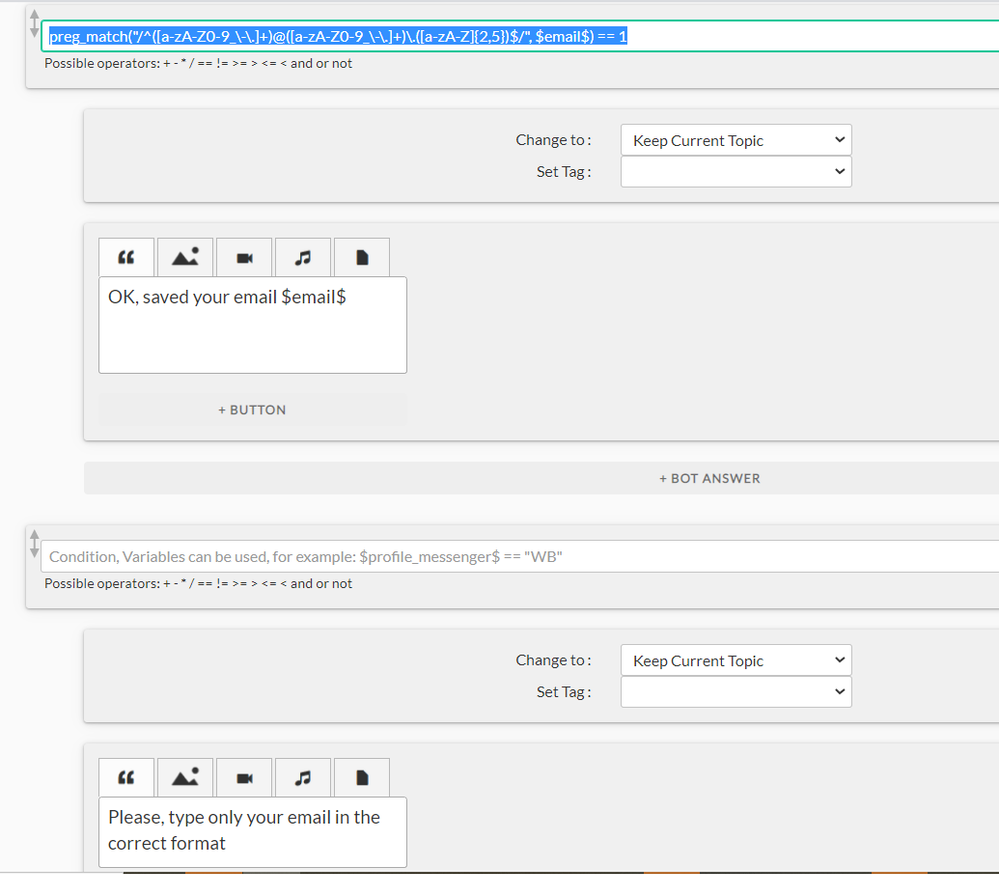
If an email address has be be first provided by a user, you can validate the email inputted by using a pre-match function which performs a regular expression matching (preg_match(“/^([a-zA-Z0-9_\-\.]+)@([a-zA-Z0-9_\-\.]+)\.([a-zA-Z]{2,5})$/”, $email$) == 1 😞